

TL;DR
- The traditional crawl-and-analyze audit doesn’t scale. Setup, a long crawl, exports, VLOOKUPs, and a client deliverable can take hours or days, every time.
- Claude Code can build the audit, run it, and write the deliverable. John’s public tool audits a Shopify store in about a minute by crawling a small sample of pages.
- Build audits for what generic crawlers miss. For ecommerce, that means things like category pages with real traffic and zero products.
- Three files per audit, one config per client. Collector, router, page, plus a configuration file that holds everything client-specific. The output should go straight to developers, prioritized and explaining what to fix.
- The best audit is one you don’t have to remember to run. Schedule checks, compare runs, and fix one problem area per week.
About the Speaker
John Caiozzo is the founder of Caiozzo Consulting, an ecommerce SEO consultancy. He has worked in SEO for about 12 years, including roughly four and a half years in-house, and worked with large enterprise ecommerce brands before founding his own practice. His work focuses on auditing large ecommerce sites.
The Problem: Audits Take Too Long, Every Time
John started with a gentle jab at the crawler most SEOs grew up on (with an apology to the Screaming Frog team). A typical audit goes something like this:
- Setup. Decide whether to render JavaScript, how fast to crawl so the site doesn’t block you, which pages to exclude, how to segment, and which API connections to add for traffic data.
- The crawl. An hour or more on a large site.
- Analysis and delay. Export the data, combine it with VLOOKUPs, and spend a long time turning it into something useful.
- The deliverable. Build a client-facing document, again, every single time.
In 2025 he tried to automate it by writing Python scripts, pasting screenshots of errors into ChatGPT to debug them. The result was ugly: scripts that ran one after another, 10 to 15 minutes each time. He spent more time debugging and fixing than doing the work he actually wanted to do.
His conclusion: the problem wasn’t the tool. It was him.
The Solution: Let Claude Code Build the Audit
With Claude Code, the job changed. It builds the audit, runs it, and creates the client-facing deliverable.
John demoed his free, open-source tool running against a Shopify store. It finished in about a minute. The trick is sampling: instead of crawling every page, it checks a small sample of category and product pages, which gives a good picture of what’s wrong across the site’s templates.
He was clear that this is the gateway, not the full audit. For clients, he has built a full application that takes 30 minutes to an hour to run, with some checks running weekly and others daily.
Why Not Use an Existing Crawler?
Because ecommerce sites have specific problems generic tools don’t look for. His favorite example: category pages that get meaningful traffic but show zero products, so they aren’t selling anything.
What to Audit on Ecommerce Sites
John recommended starting with one audit: collection pages on Shopify, or category pages on other platforms. The recurring issues he sees:
- Forgotten pages. Merchandisers come and go. Someone who built pages three years ago leaves, nobody remembers them, and they end up with zero products and no internal links.
- Hardcoded navigation links. Sites with multiple markets often have header and footer links hardcoded somewhere, and someone forgets to update one market.
- Agentic commerce data gaps. Shopify supports the Agentic Commerce Protocol, which sends product data to ChatGPT. You can see roughly what an agent sees by adding
.jsonto the end of a Shopify product URL. He has seen stores missing basic fields such as product type, which tells an agent what category a product belongs to.
How to Build It
Start in Plan Mode
John gets the best results starting in Claude Code’s plan mode, describing the audit in plain language. For collection or category pages, his checklist includes:
- Title tags and meta descriptions
- Pages blocked by robots.txt or meta robots
- Whether products appear on the page
- Whether the expected structured data is present
- Broken links in the header, footer, and product grid
Just as important is the output. It should go straight to developers, telling them what to fix, how to fix it, and in what priority.
Three Files Per Audit, One Config Per Client
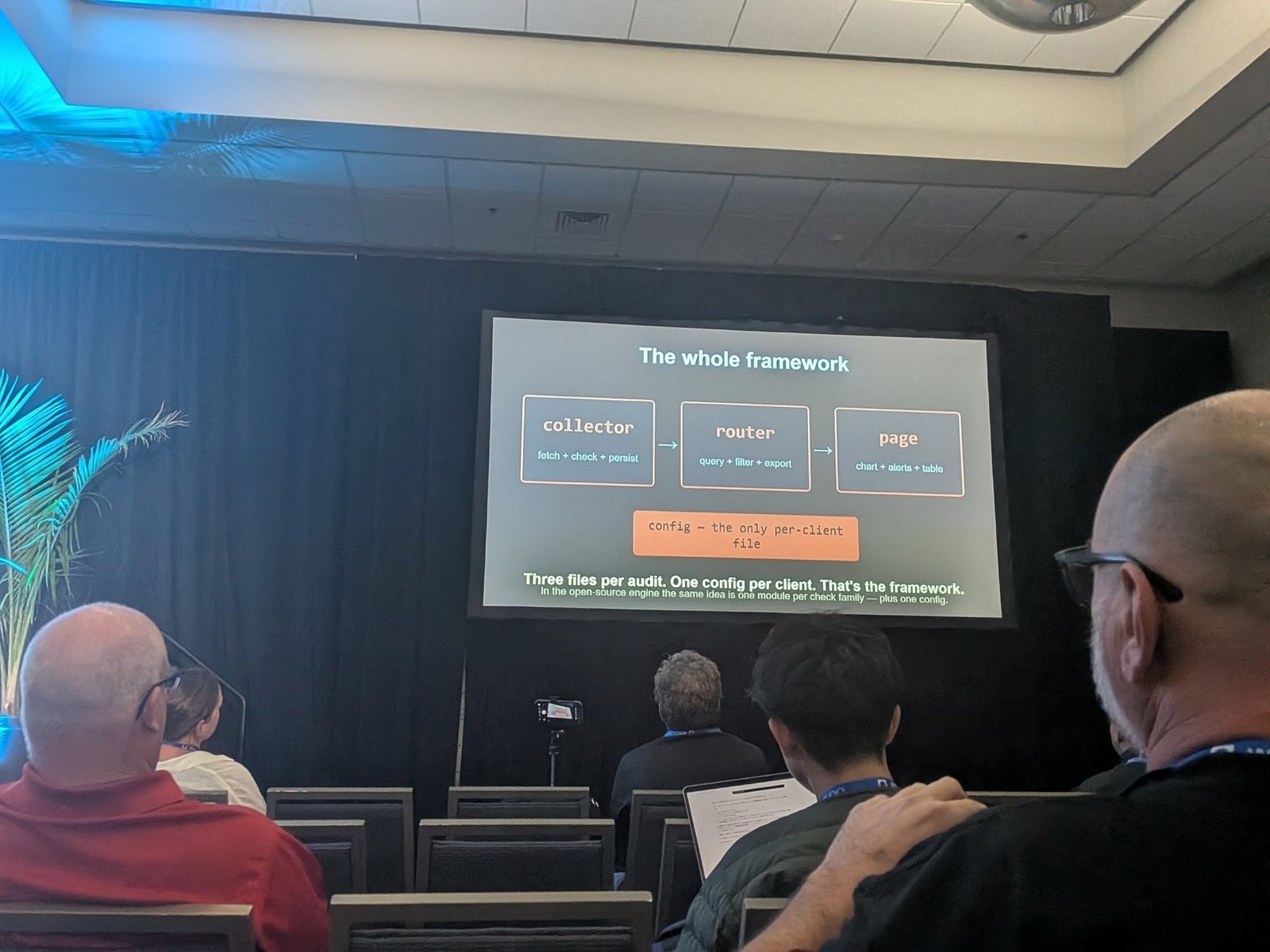
Every audit he builds has the same three parts:
- Collector. Fetch, check, persist. Goes to the site, reads the pages, finds the issues, and stores what it found.
- Router. Query, filter, export. The layer that lets you segment and pull the results you want.
- Page. Chart, alerts, table. The prioritized view that gets handed to developers.
Underneath sits config, the only per-client file. It holds everything that differs from site to site: markets, branded keywords, sitemaps, where the product grid sits on the page, whether category footer content is present, and Slack settings.
His summary on the slide: three files per audit, one config per client. That’s the framework. In his open-source engine the same idea becomes one module per check family, plus one config.
CLAUDE.md Is Your Agent’s Onboarding Doc
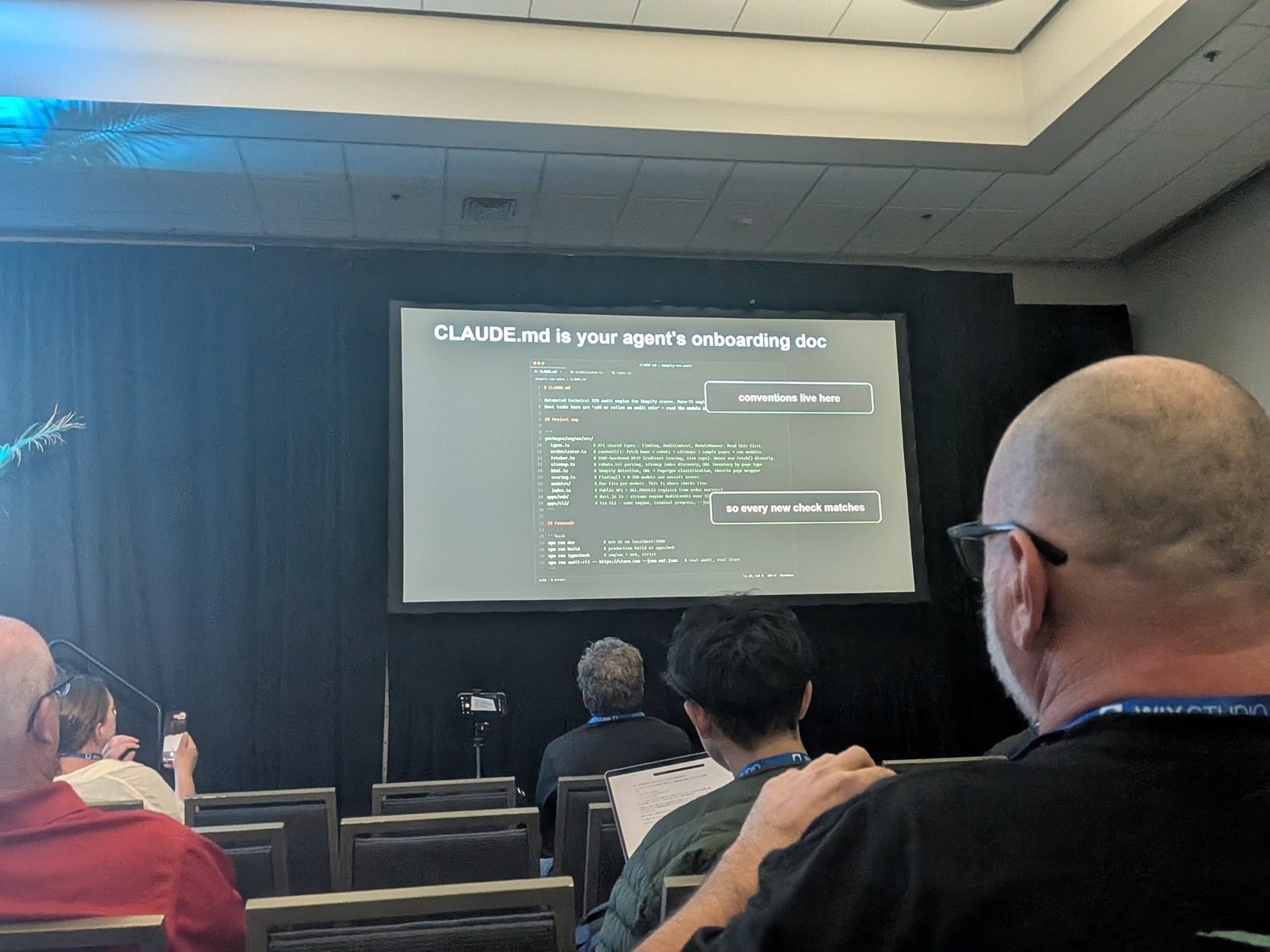
The file that makes the framework extensible is CLAUDE.md. John’s contains a project map, listing each file in the engine with a one-line note on what it does and what to read first, followed by the commands to run the app, build it, typecheck it, and run a real audit from the CLI.
The two annotations on his slide explain why it matters: conventions live here, so every new check matches. Get that file right and each new check you add follows the same shape as the last one, rather than the agent inventing a new pattern every time.
His example output highlighted a category page with around 2,100 clicks and zero products: a page that should be selling and isn’t, ready to hand to the merchandiser or developer.
Scale Up the Checks
Once the first audit works, the rest gets easier. His client version checks 18 areas with more than 65 rules; the free version covers nine areas. Examples include:
- Sitemap hygiene. No 4xx pages or redirects in sitemaps.
- Empty collections.
- Agentic commerce data completeness.
Compare Runs, Don’t Just Repeat Them
An audit should compare itself with the previous run, showing what has changed, what has been fixed, and what remains. No more running scripts by hand or pasting screenshots into a chatbot.
Checks Only an Agent Can Do
Running locally with an agent opens up checks a traditional crawler can’t easily do. John’s main example: compare each page’s JavaScript-rendered version with its raw HTML. ChatGPT and Perplexity don’t render JavaScript, and his example showed a page that was essentially an empty shell without it. The agent reads the difference, summarizes it, and passes it to you.
Other agent-powered ideas:
- Combine page analysis with Search Console data to find pages where click-through rate could improve, at scale.
- Look for fixes that scale. The biggest wins of his career came from template changes applied across hundreds or thousands of pages.
- Connect it to Slack, so you can ask questions about the audit, what ran, and what the issues are.
How the One-Minute Audit Works
The sequence John’s crawler follows:
- Read robots.txt to understand the rules of the site
- Find the sitemaps
- Sample around ten collection pages and ten product pages
- Run the checks
- Produce a scored, prioritized summary
In his example, it crawled 30 pages in 39 seconds with zero babysitting. But the speed wasn’t the best part. The best part was that he didn’t have to remember to run it, because the checks are automated.
He admitted this can trigger an existential crisis: the audit work you used to do regularly no longer needs you. The upside is that it frees you to build more.
Take the Code
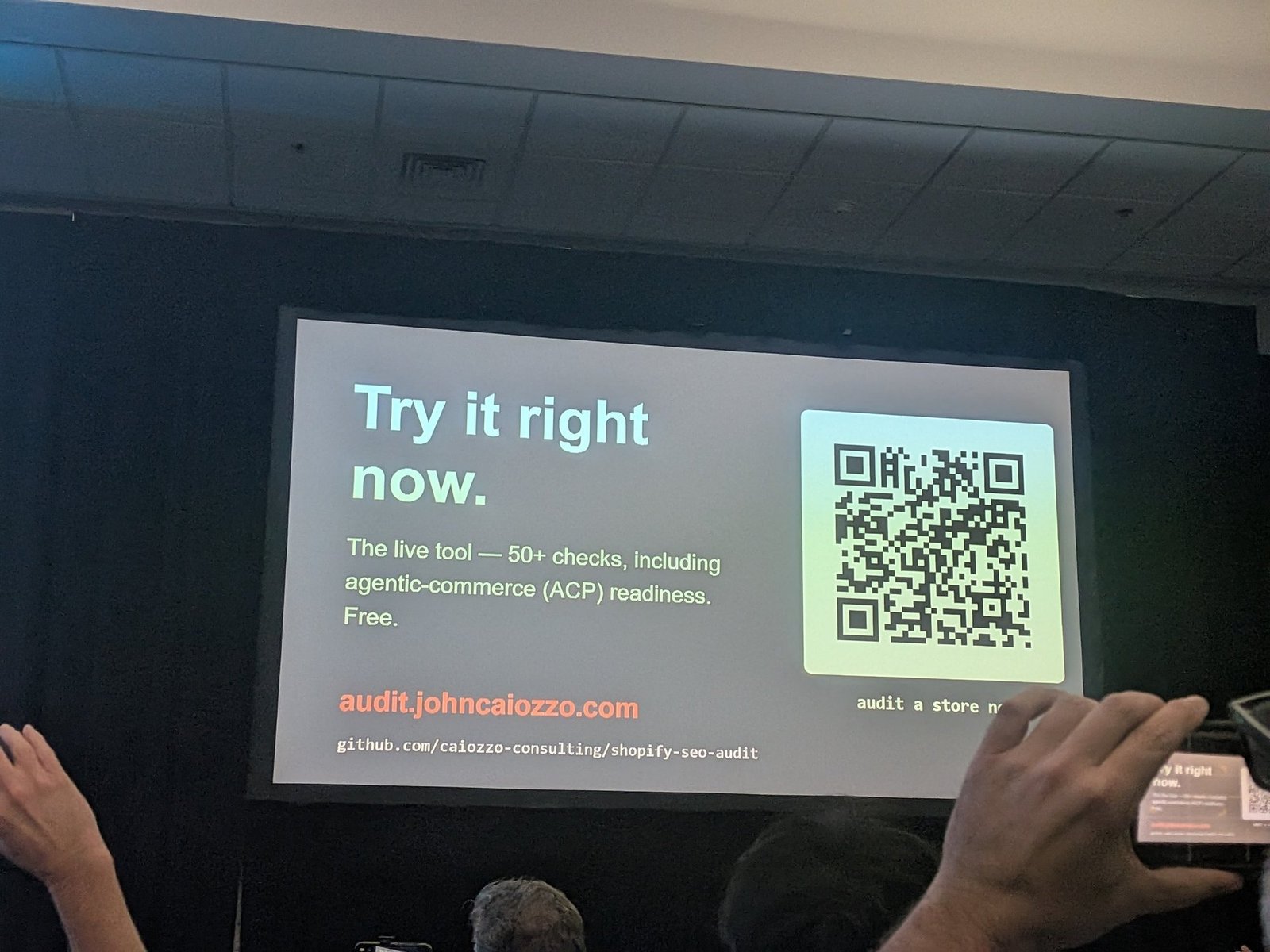
The live tool runs at audit.johncaiozzo.com, free, with 50+ checks including agentic-commerce (ACP) readiness.
The engine behind it is open source at github.com/caiozzo-consulting/shopify-seo-audit, including the CLAUDE.md that tells Claude Code exactly how the system works and how to customize it.
The Blueprint
- Pick one audit. Start with category or collection pages.
- Describe it in plan mode. List the checks and define the developer-ready output.
- Build the collector, router, and page.
- Put everything client-specific in one config file.
- Sample before you crawl everything. A handful of templates reveals most issues.
- Add ecommerce-specific checks like zero-product categories and agentic commerce data.
- Add agent-only checks like rendered versus raw HTML.
- Schedule it and compare runs.
- Connect Slack for questions and alerts.
What Not to Do
- Don’t rebuild the same manual audit every time.
- Don’t debug scripts by pasting screenshots into a chatbot. John tried it, and doesn’t recommend it.
- Don’t rely only on generic crawlers for ecommerce-specific problems.
- Don’t hand developers a raw export. Tell them what to fix, how, and in what order.
- Don’t assume AI agents see your JavaScript-rendered content.
- Don’t try to automate everything at once.
Next Steps
John’s closing advice: choose one problem a week, build a check for it, and automate it.
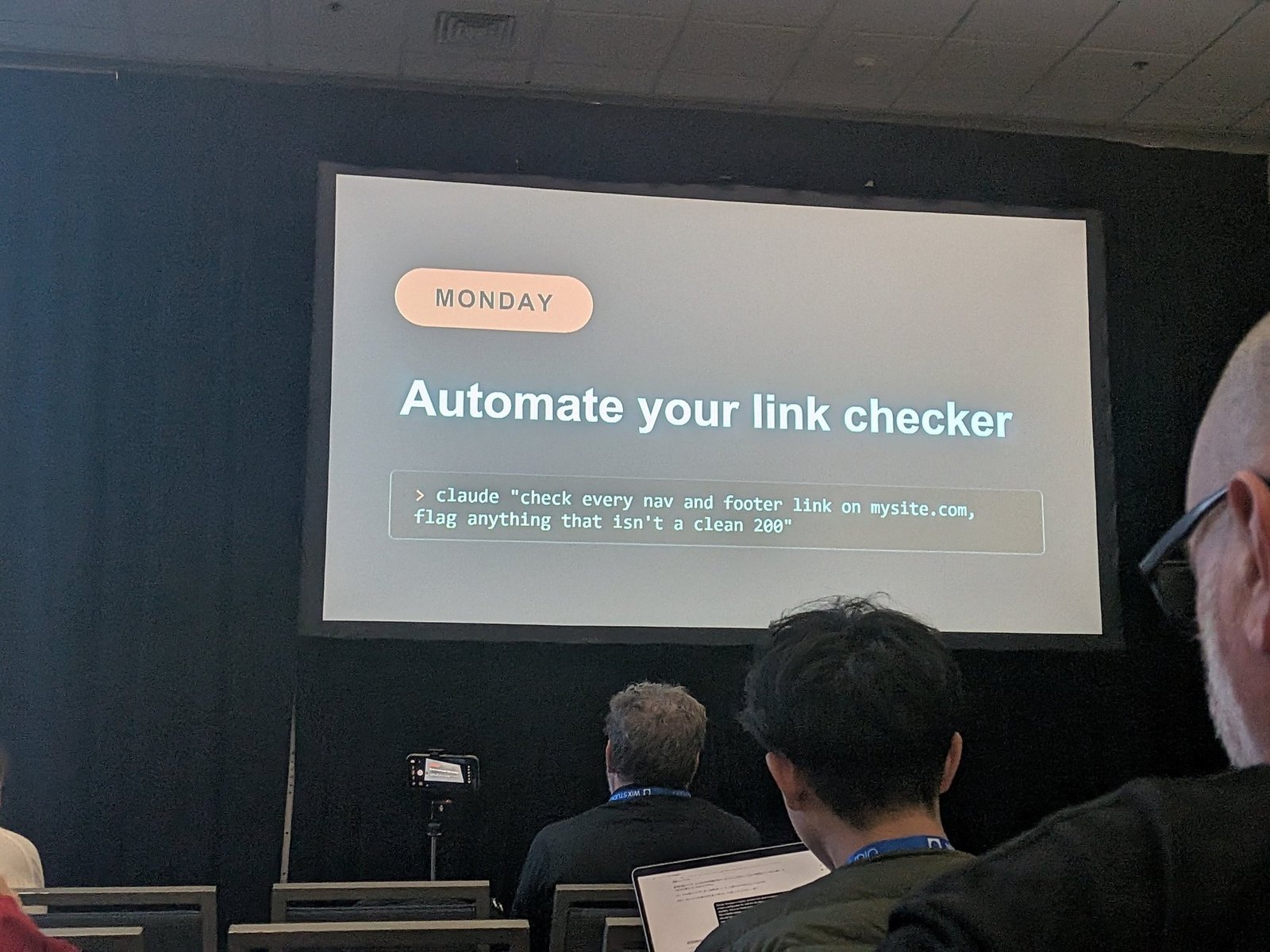
- Week one: broken header, footer, and product grid links. His slide gave the prompt verbatim:
claude "check every nav and footer link on mysite.com, flag anything that isn't a clean 200". - Week two: sitemap health and hygiene.
- Week three: schema validation, making sure the right structured data is in place.
- Then: run each check automatically at least once a week.
Personal Takeaways
This was the most immediately usable talk in the Vibecoding session. John showed working code and gave it away.
What I’m taking away:
- The collector, router, page and config structure is reusable beyond ecommerce. It’s a clean pattern for any recurring audit a consultancy delivers to multiple clients, and “one config per client” is the part that makes it scale without forking the code.
- It fits Laura Beatty’s talk from earlier in the afternoon. Laura warned about categories that don’t earn their keep and links that technically work but break the journey. John’s zero-product categories and hardcoded navigation links are the same problems, and his approach is how to catch them automatically.
- The rendered versus raw HTML check matters for AI visibility. If ChatGPT and Perplexity don’t render JavaScript, sites built as JavaScript-heavy applications need to check what those agents actually receive.
- “Don’t have to remember to run it” is the real benefit. It echoes Ray Grieselhuber and Noah Learner: make checks automatic, and make lessons permanent.
- The
.jsontrick on Shopify product URLs is a quick win. It’s a two-minute way to show a client what an AI agent sees about their products.
Related Resources
- Speaker: John Caiozzo
- The free audit tool and the open-source engine on GitHub
- Noah Learner session report: hooks, handoffs, and building with Claude Code
- Ray Grieselhuber session report: testing and deployment for agent-built products
- Laura Beatty session report: categories, redirects, and broken user journeys
Written by Ayaka Uchida
CEO, A-Digital Works
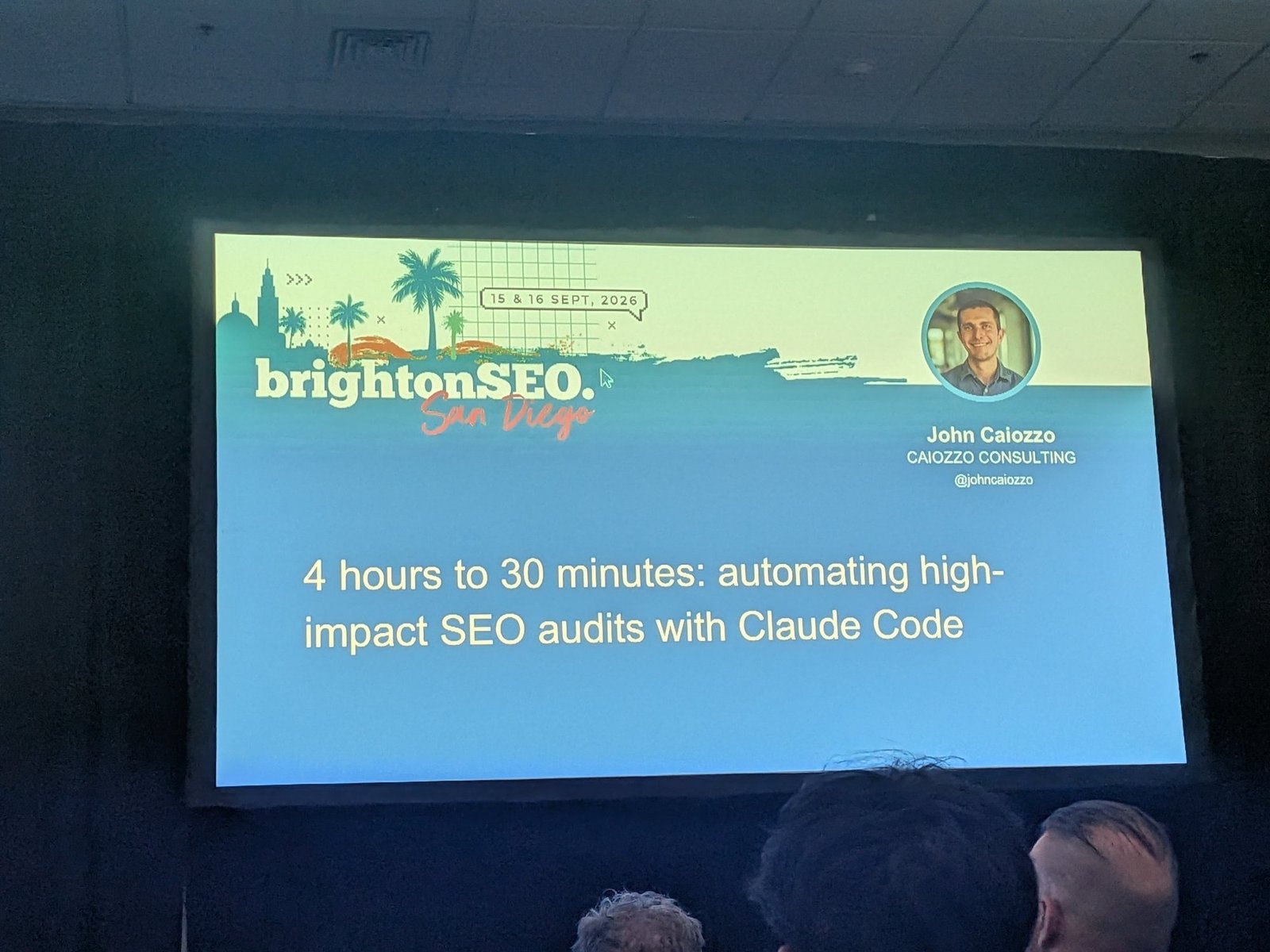
This report covers John Caiozzo’s session “4 hours to 30 minutes: automating high-impact SEO audits with Claude Code” at brightonSEO San Diego (16 September 2026).
