

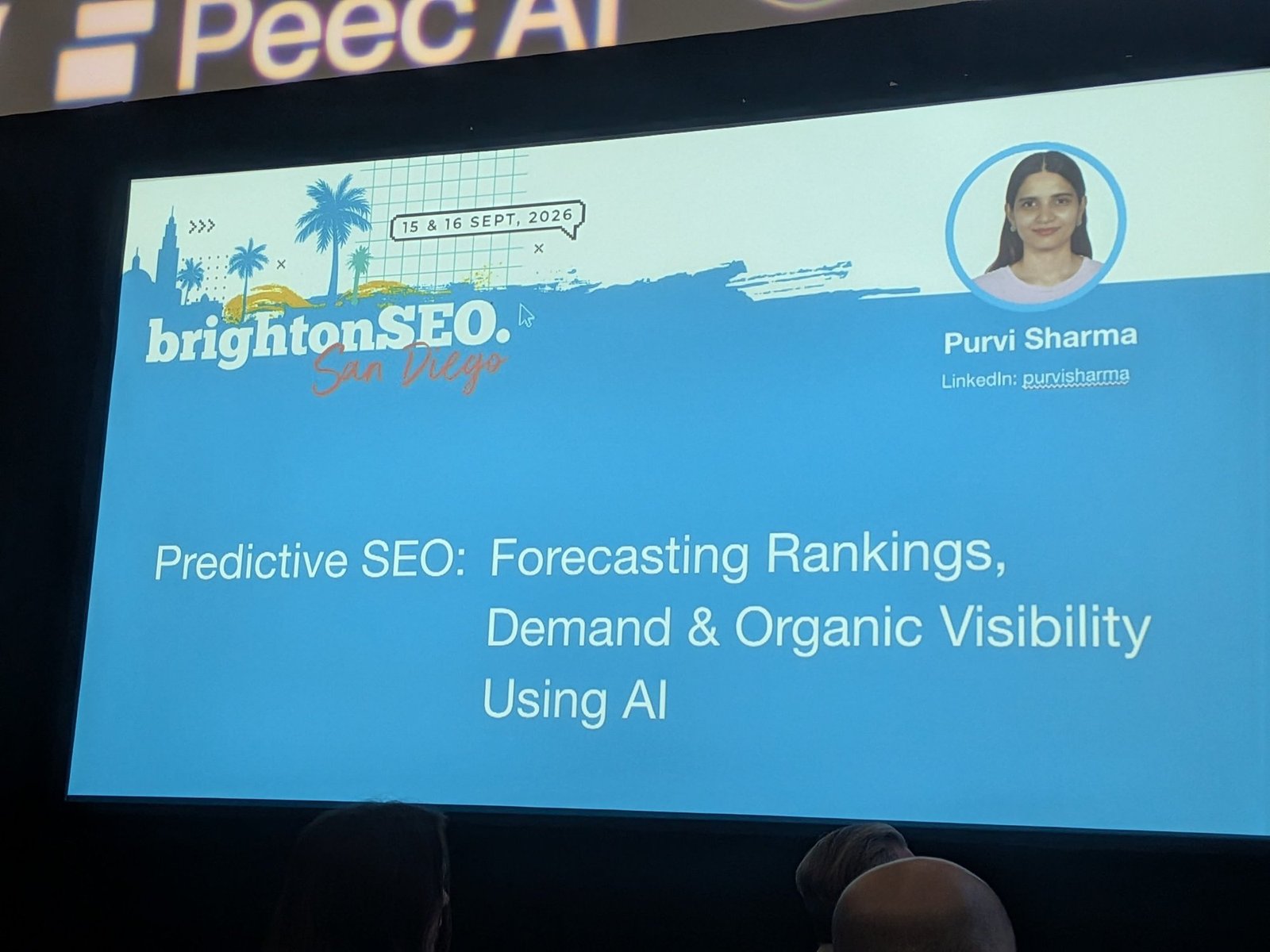
TL;DR
- Most SEO tools tell you what already happened. By the time an alert fires, a competitor has often already published and taken the opportunity.
- You can build a predictive keyword tool in about five working days. Purvi’s stack uses Base44, SerpAPI, Meta Prophet, an LLM, and a React front end.
- Intent can’t be judged from the keyword alone. Grounding intent classification in the top five search result titles and “People also ask” questions raised accuracy from 70% to 88%.
- New domains appearing on page one are an early warning. They signal that Google is reshuffling results and that there is room for new content.
- LLMs fail silently. Her three production failures were plausible but mathematically wrong forecasts, intent misread from keyword text, and prompt changes that quietly broke later steps.
About the Speaker
Purvi Sharma is a Marketing Strategist and Analyst at Rochester Institute of Technology. She has worked in digital marketing across Europe, Asia, and North America, in industries including technology, finance, healthcare, education, and fashion and luxury. Her current work sits at the intersection of AI, analytics, and predictive SEO.
The Problem: Reactive Tools, Reactive Teams
Purvi opened with a question most of the room recognized: how many of us have planned a piece of content, only to discover a competitor had already published it and captured the traffic?
Her explanation is that the industry relies on tools that report what has already happened. Rank trackers and keyword platforms are excellent, but they are built on historical data. They send alerts after a shift, not before it. She wanted something that predicts where demand is heading.
The End Product
Before explaining how to build it, Purvi demonstrated the finished tool: a browser extension that runs inside the current tab, with no need to open a new window.
It works like an assembly line, where the output of each step becomes the input for the next. For a given keyword, it forecasts growth, analyzes what competitors are doing, looks at the sentiment and questions around the topic, and recommends what kind of content to create.
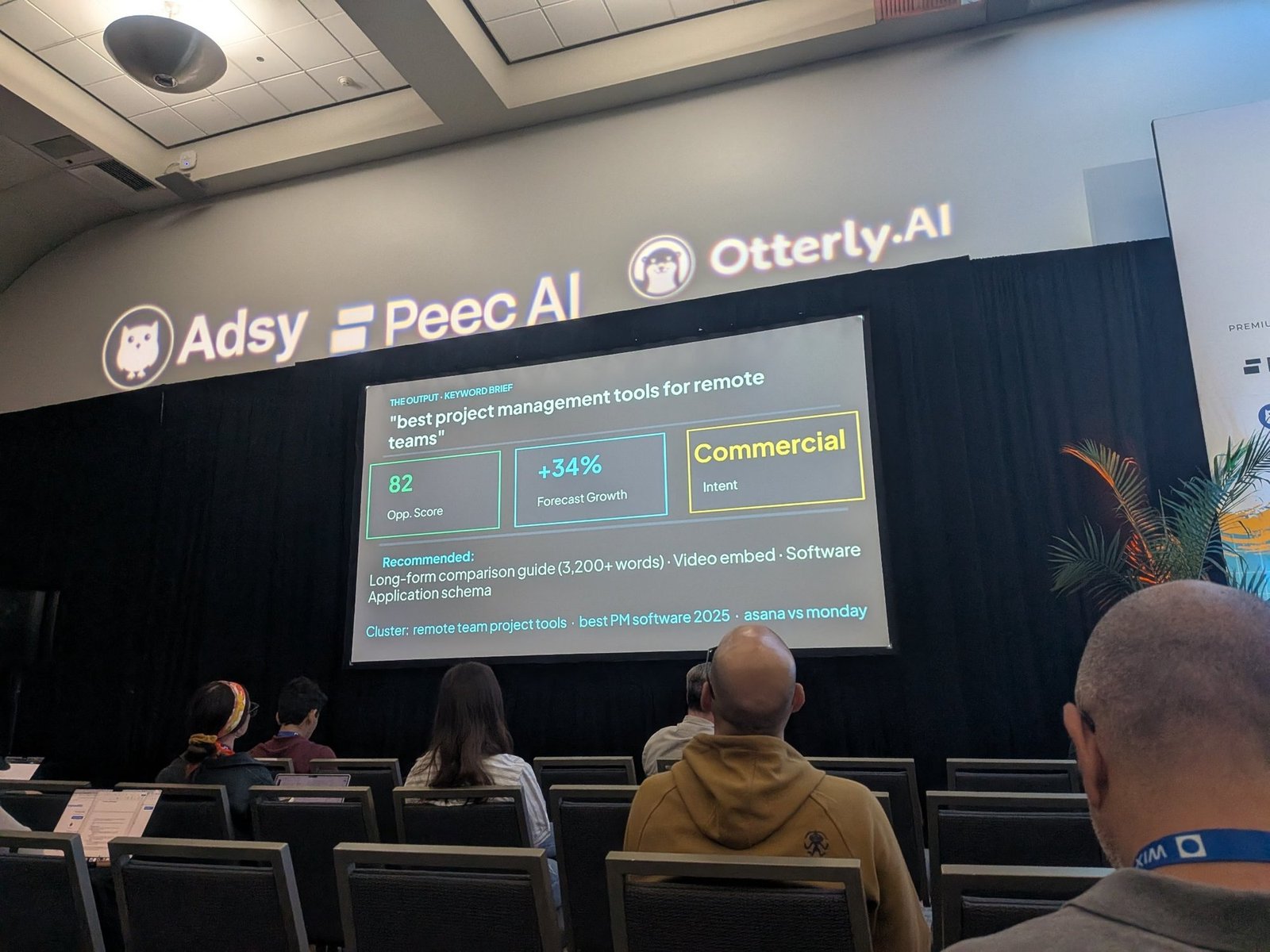
Her example output was for the keyword “best project management tools for remote teams”:
- Opportunity score: 82
- Forecast growth: +34%
- Intent: Commercial
- Recommended format: A long-form comparison guide of more than 3,200 words, with an embedded video and software application schema
- Related cluster: remote team project tools, best PM software 2025, and Asana vs. Monday
The Solution: Seven Steps, One Job Each
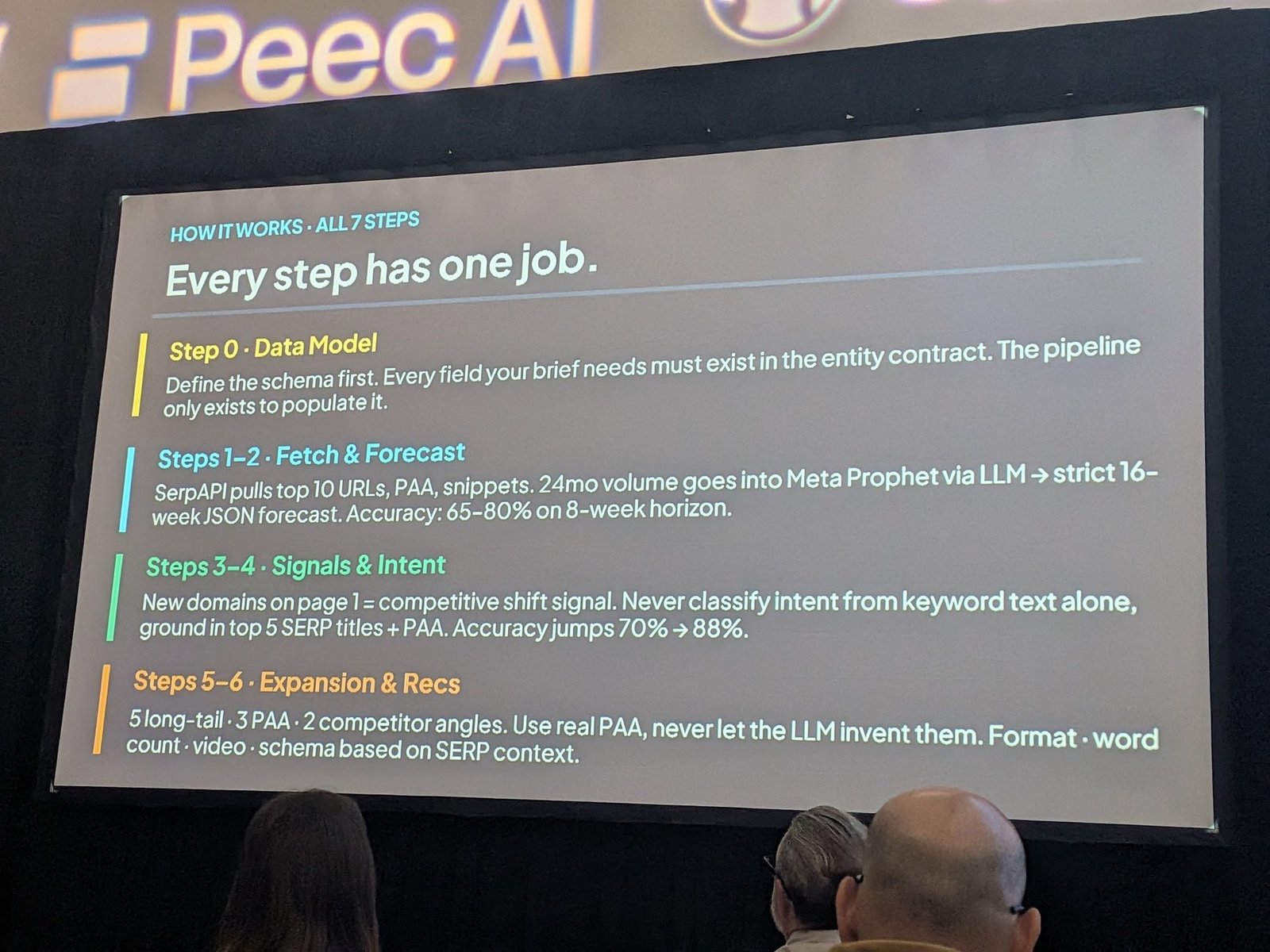
Purvi’s core design principle is that every step has exactly one job.
Step 0: Define the Data Model
Before writing any code, define the schema. Every field the final brief needs must exist in what she calls the entity contract. The rest of the pipeline exists only to fill it in.
Her warning here was simple: don’t start building and hope the structure emerges. If you don’t know what data you need at the end, you’ll only discover the gaps once things break.
Steps 1 and 2: Fetch and Forecast
SerpAPI pulls the top ten ranking URLs, “People also ask” questions, and featured snippets for the keyword, so the tool always works from live search data.
Then 24 months of historical search volume goes into a Meta Prophet forecast, run through an LLM, which returns a strict 16-week forecast in JSON format. At this stage, forecast accuracy was 65% to 80% on an eight-week horizon.
Steps 3 and 4: Signals and Intent
Two ideas make the biggest difference to accuracy:
- New domains on page one are a competitive shift signal. When Google starts testing new websites on the first page, it means the results are in flux, and there is space for new content.
- Never classify intent from keyword text alone. Ground it in the top five result titles and the “People also ask” questions. A keyword that looks commercial may actually be treated by Google as informational, and the search results reveal which.
Adding these signals raised accuracy from 70% to 88%.
Steps 5 and 6: Expansion and Recommendations
The tool then generates five long-tail keywords, three “People also ask” questions, and two competitor angles, and recommends the format, word count, whether to include video, and which schema to use, all based on what the search results show.
Her critical rule here: use real “People also ask” questions and never let the LLM invent them. If you simply ask an LLM what content you should publish, it will produce plausible-sounding ideas based on questions people might ask, not ones they are actually asking.
The Opportunity Score
The tool combines its signals into a score out of 100. Based on her explanation, the score weighs factors including:
- Whether the keyword’s trend is moving
- Whether there is a content gap you can fill
- SERP instability, meaning whether Google is reshuffling results
- Whether people are actively discussing and asking about the topic
- Search volume, favoring keywords with thousands of searches over those with very low demand
Her guidance on using it: keywords scoring 80 to 100 should be prioritized. Below 60, it is probably better to focus elsewhere.
The Blueprint: Your Five-Day Build Plan
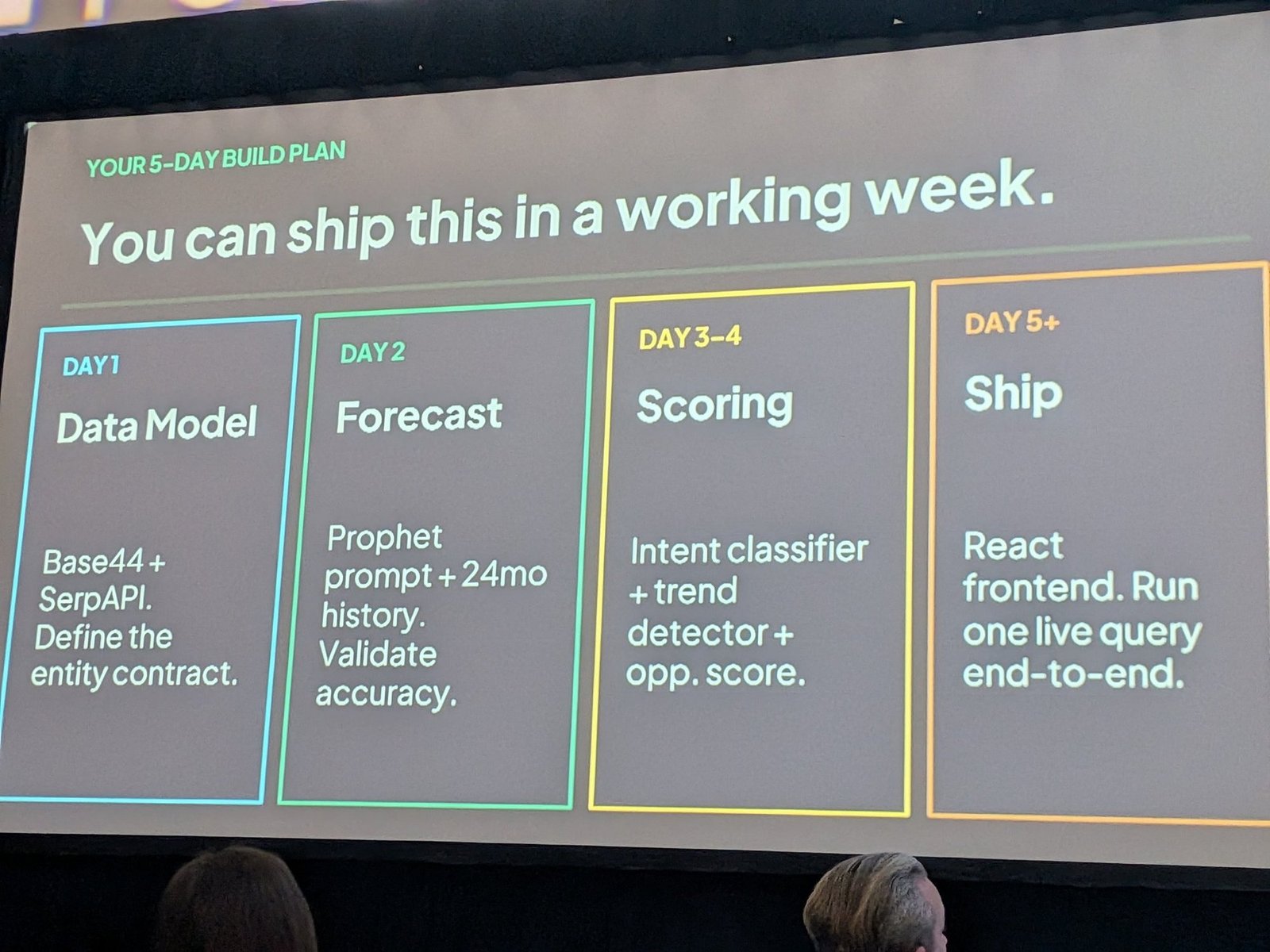
Purvi’s point was that this doesn’t require a large team or an enterprise budget. Her suggested plan:
- Day 1, Data Model: Set up Base44 and SerpAPI, and define the entity contract.
- Day 2, Forecast: Build the Prophet prompt with 24 months of history, and validate its accuracy.
- Days 3 and 4, Scoring: Add the intent classifier, trend detector, and opportunity score.
- Day 5 onward, Ship: Build a React front end, and run one live query end to end.
Lessons Learned: Three Things That Broke
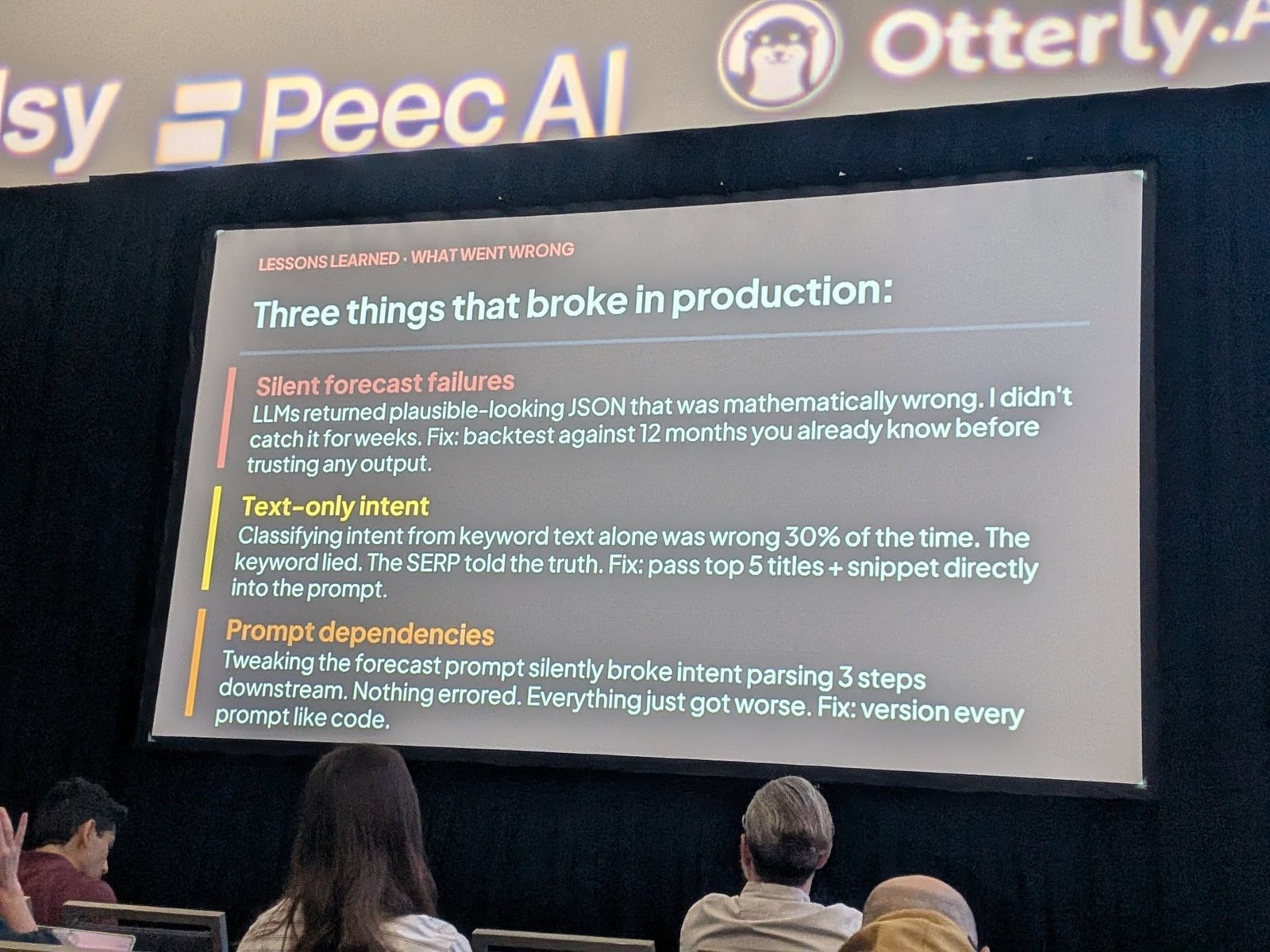
The most valuable part of the talk was her honesty about what went wrong.
1. Silent forecast failures. The LLM returned forecasts in perfectly formatted JSON that were mathematically wrong, and she didn’t notice for weeks. The fix: backtest against 12 months of data you already know before trusting any output.
2. Text-only intent. Classifying intent from the keyword text alone was wrong 30% of the time. In her words on the slide, the keyword lied and the search results told the truth. The fix: pass the top five titles and snippets directly into the prompt.
3. Prompt dependencies. Tweaking the forecast prompt quietly broke intent parsing three steps later. Nothing threw an error. Everything just got worse. The fix: version every prompt the way you would version code.
What Not to Do
- Don’t start coding before defining your data model. Missing fields surface late and are painful to fix.
- Don’t trust LLM output because it looks well-formatted. Clean JSON can still contain wrong numbers.
- Don’t classify intent from the keyword alone. Check what Google actually shows.
- Don’t let the LLM invent questions. Use real “People also ask” data and real user questions.
- Don’t edit prompts without tracking changes. A small change in one step can break another without warning.
- Don’t chase keywords with negligible volume. A high growth rate on tiny demand won’t move results.
Next Steps
- Write down the fields your ideal keyword brief needs. Treat that list as your schema.
- Pull 24 months of search volume for a small keyword set. Start with ten keywords you know well.
- Backtest before you forecast. Hide the last 12 months, forecast them, and compare against reality.
- Check page one for new domains. Track when unfamiliar sites start ranking for your core topics.
- Ground intent in live results. Compare your intent label with the top five titles before planning content.
- Keep a prompt changelog. Record every prompt change and re-test the full pipeline afterward.
Personal Takeaways
This was a builder’s talk, and I appreciated that it included the failures as well as the finished tool. Many sessions show impressive dashboards. Fewer explain what broke along the way.
What I’m taking away:
- The three failures apply to any AI workflow, not just forecasting. Plausible but wrong output, missing context, and hidden dependencies between prompts are exactly the problems anyone automating work with LLMs runs into. Backtesting against known results and versioning prompts are habits worth adopting everywhere.
- “The keyword lied, the SERP told the truth” is a line I’ll use with clients. It explains, very simply, why keyword research based on text alone often leads to the wrong content format.
- New domains on page one as a signal is easy to adopt. It doesn’t need a custom tool. Anyone tracking rankings can watch for it.
- Small teams can build this. For businesses without enterprise tool budgets, including the kind of international market-entry clients I work with, a lightweight predictive layer is realistic.
A caveat: the accuracy figures come from Purvi’s own build, and the talk didn’t detail how many keywords or which markets they were tested on. One point also struck me: some of the forecasting appears to have been done by an LLM applying Prophet through a prompt, which may be part of why the numbers silently went wrong. Running the forecasting model directly in code, and using the LLM only for interpretation, might avoid that problem altogether.
Related Resources
- Session: The Future of SEO, brightonSEO San Diego 2026
- Speaker: Purvi Sharma
- Michael Farr’s session report: the previous session in the same block
- Benu Aggarwal’s session report: the next session in the same block
Written by Ayaka Uchida
CEO, A-Digital Works
This report covers Purvi Sharma’s session “Predictive SEO: Forecasting Rankings, Demand & Organic Visibility Using AI” at brightonSEO San Diego, September 16, 2026.
